The recipe catalogue
There are 168 recipes in the marketplace, grouped into seven categories. This page is a tour of what each category is for, with the sentences you will reach for most.
| Category | Recipes | For |
|---|---|---|
| Field updates | 42 | Writing one column when another changes |
| Alerts | 37 | Telling someone that something happened |
| Thresholds | 33 | Acting when a number crosses a line |
| Dates | 17 | Stamping when something happened |
| Routing | 13 | Moving rows to where they belong |
| Assignment | 13 | Deciding who owns a record |
| Multi-step | 12 | Doing more than one thing at once |
Assignment
Who owns the record. Usually the first automation any team sets up.
a row is created → assign creator as owner
Whoever added the row owns it. Right for a sales team entering their own leads.
a row is created → auto assign as owner
Round-robin across the team. Right for a support queue or inbound leads, where fairness
matters more than who typed it.
category changes to something → auto assign as owner
Route by category. Combined with category keywords, this is automatic ticket routing.
status changes to something → auto assign as owner
Hand off at a stage boundary. an escalated ticket goes to whoever is next on the senior
rota.
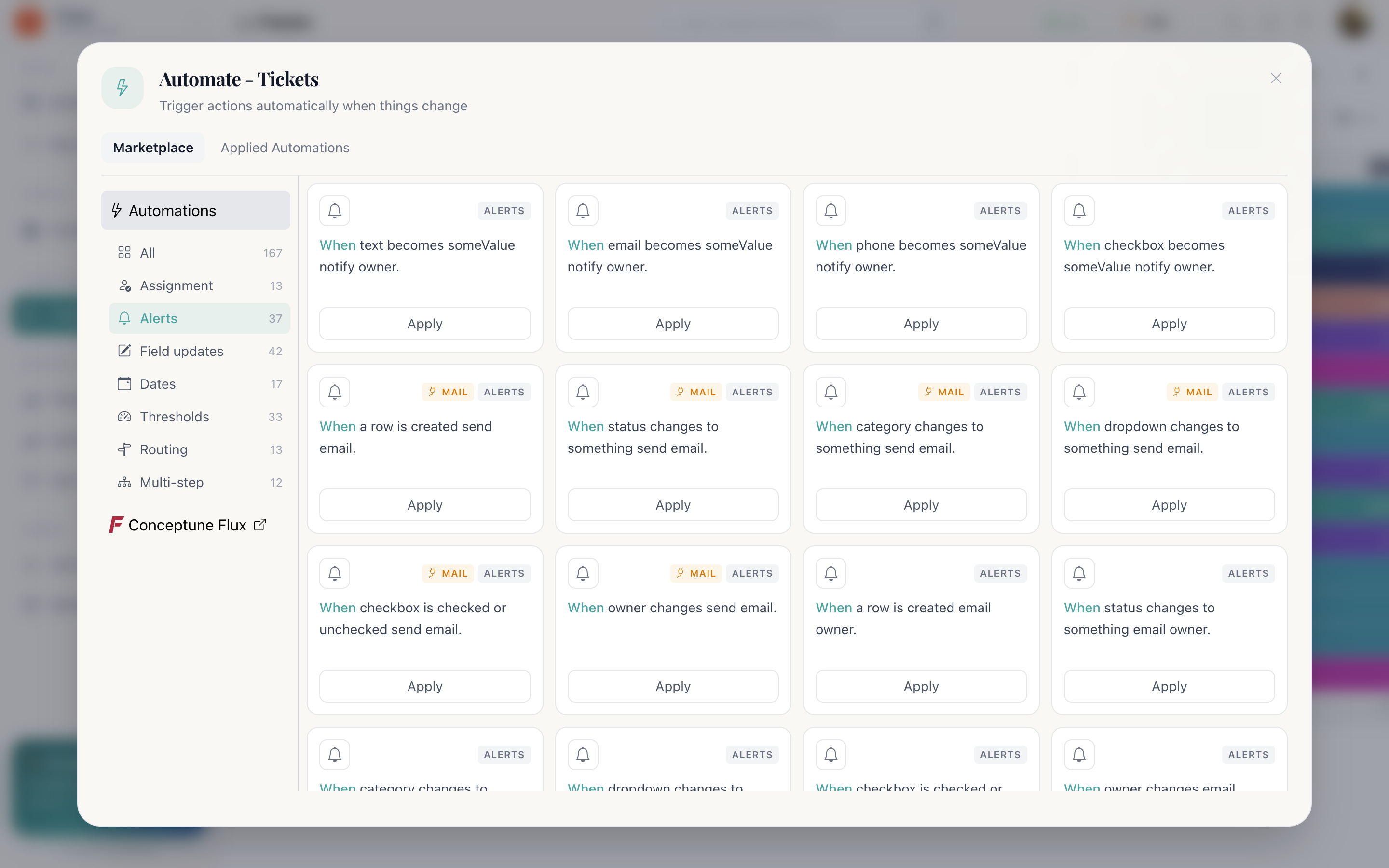
Alerts
The largest group after field updates, because almost any column change is worth telling someone about. There is a notify owner recipe for every column type:
- status changes
- dropdown changes
- category changes
- owner changes
- checkbox is checked or unchecked
- text changes
- email changes
- phone changes
- number changes
- date changes
- datetime changes
- time changes
- formula changes
- connect changes
- attachment changes
Alerts can notify in-app, email the owner, or send an email to an address on the row, which is how a customer gets told their ticket was resolved.
Field updates
The biggest category: one column changing writes another. This is how a panel keeps itself consistent without anyone remembering to.
a row is created → set status to something
Every new row starts at the right stage: New, Unassigned, To
do.
category changes to something → set status to something
Filing a ticket into a category also moves it out of triage.
checkbox is checked or unchecked → set status to something
Ticking “approved” moves the record to the approved stage.
status changes to something → set checkbox to something
The reverse: reaching a stage sets the flag other views filter on.
Dates
Timestamps you would otherwise ask people to fill in by hand, and they would forget.
a row is created → set date to today
A created-on date without a column anyone has to touch.
a row is created → set datetime to now
On a ticketing panel, point this at Start Date and the resolution clock
starts by itself.
status changes to something → set datetime to now
Stamp exactly when a ticket was resolved, or a deal was won. This is what makes duration
reporting possible later.
Thresholds
Acting when a number crosses a line, with the full set of comparisons on both Number and Decimal Number columns.
number is greater than value → notify owner
A deal over a size worth a second pair of eyes.
number is greater than value → move row to mapped
Large orders route themselves into an approvals panel.
number equals to value → notify owner
A countdown reaching zero, a stock level hitting its reorder point.
Routing
Moving rows to where they belong, using a Mapping column to name the destination panel and section.
status changes to something → move row to mapped
A lead marked Won moves into the Customers panel; a ticket marked
Closed moves into Archive.
dropdown changes to something → move row to mapped
A request classified as “Facilities” moves into the Facilities panel.
Multi-step
One trigger, several actions. Rather than three separate rules on the same event, a multi-step recipe keeps them together so they cannot drift apart.
A typical one: when status changes to Resolved → set the resolved datetime, notify the owner, and email the customer, as a single automation.
Choosing well
A workspace that runs smoothly usually has these four, and not many more:
- Something that assigns an owner on creation.
- Something that sets the starting status on creation.
- Something that stamps the time at the stages you report on.
- One or two alerts on the transitions that genuinely need a human.