Roles and permissions
A role is a named set of permissions. Cognify's permissions are fine-grained — twenty-six of them across six groups — so a role can be as broad as an administrator or as narrow as “can read their own tickets and nothing else”.
Every permission
Panel
| Permission | Allows |
|---|---|
| Can create Panel | Adding new panels to the workspace |
| Can update Panel | Renaming a panel and changing its icon |
| Can delete Panel | Deleting a panel and everything in it |
| Can design Panel | Adding, changing and removing columns |
| Can give access to Panel | Deciding which members can open the panel |
Tabs
| Permission | Allows |
|---|---|
| Can create Tab | Adding a table, board, graphs or inbox view |
| Can update Tab | Renaming a tab |
| Can design Tab | Changing what a tab shows — its filter, its status column, its widgets |
| Can delete Tab | Removing a view |
Sections
| Permission | Allows |
|---|---|
| Can create Section | Splitting a panel further |
| Can update Section | Renaming, and running Calibrate |
| Can delete Section | Removing a section and its rows |
Panel data
| Permission | Allows |
|---|---|
| Can insert Panel Data | Adding rows, and importing |
| Can update Panel Data | Editing cells |
| Can delete Panel Data | Deleting rows |
| Must view only its own Panel Data | A restriction, not a grant — the member sees only rows where they are the owner |
Automation and integrations
| Permission | Allows |
|---|---|
| Can use Integration | Connecting and removing mailboxes, channels, webhooks and embeds |
| Can create Automation | Applying a recipe from the marketplace |
| Can update Automation | Changing a running automation's values |
| Can delete Automation | Removing an automation |
Activity
| Permission | Allows |
|---|---|
| Can view Activity | Reading a record's timeline |
| Can create Activity | Adding notes, emails and meetings to a record |
Workspace
| Permission | Allows |
|---|---|
| Can manage Users | Inviting, editing and removing members |
| Can manage Roles | Creating and changing roles |
| Can manage Status | Managing user availability states |
| Can manage Settings | Workspace preferences, and deleting the workspace |
| Can approve maker request | Reviewing the maker-checker queue |
Admin
Admin Access is the master switch — it grants everything above, and admins always have access to every panel regardless of panel access settings.
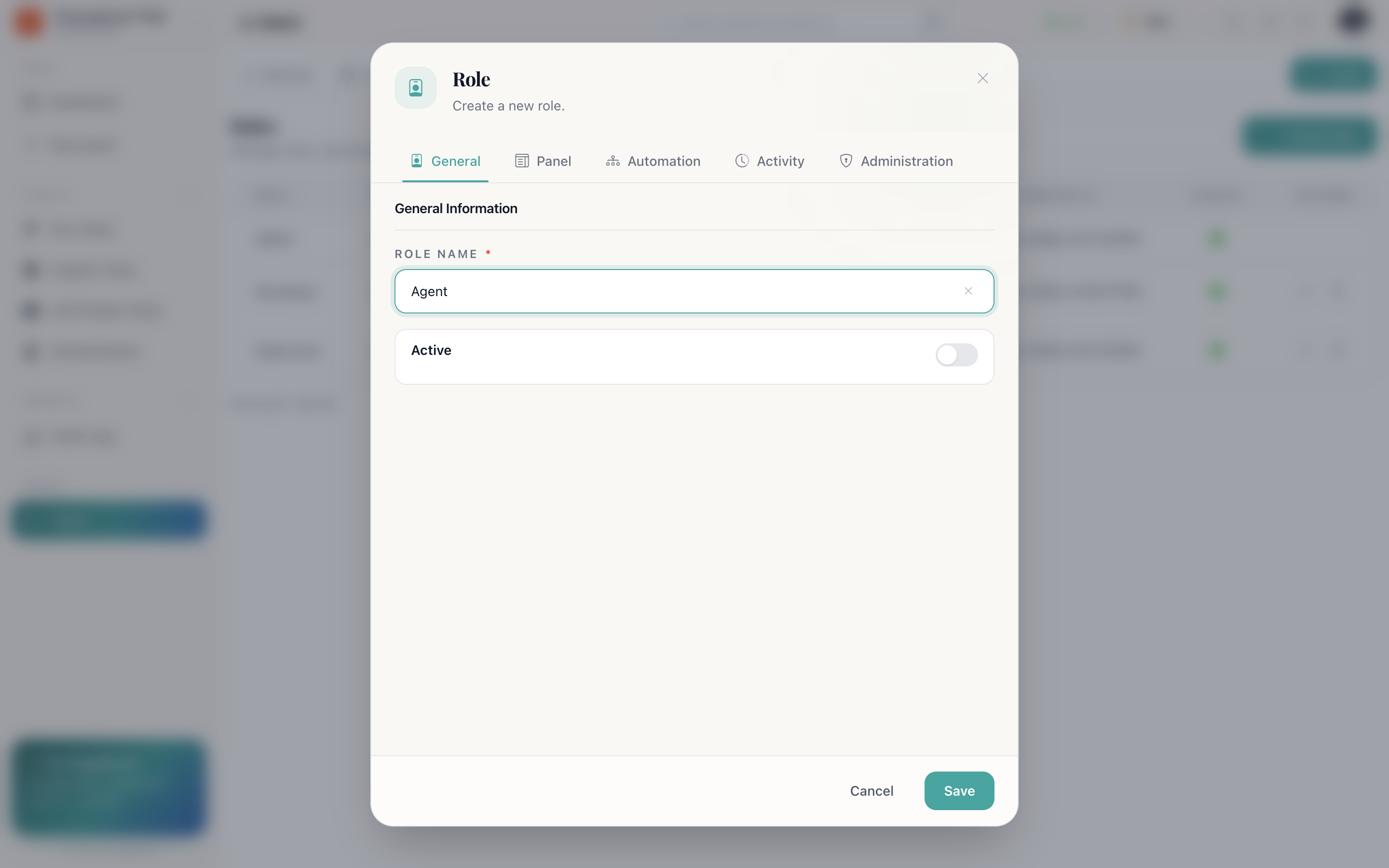
Building a role
- Users → Role → new.
- Name it after the job, not the person — Support Agent, not Priya.
- Leave Active on.
- Switch on the permissions it should carry.
- Save, then assign it from a member's edit dialog.
Roles worth having
| Role | Typically carries |
|---|---|
| Administrator | Admin Access. Keep this to as few people as possible |
| Manager | All panel, tab, section and data permissions, plus automations and integrations — but not workspace management |
| Agent | Insert, update and view activity. No design, no delete, no automation |
| Restricted agent | The same, plus Must view only its own Panel Data |
| Read only | View activity and nothing else — for auditors and observers |
Roles and panel access together
These are two different questions, and both must pass:
- Role — may this person delete rows anywhere?
- Panel access — may this person open this panel?
A member with delete permission but no access to the Salaries panel cannot delete anything in it, because they cannot open it.
How do I…
Create a role — Users → Role → new → name it, leave Active on, switch on its permissions.
Limit someone to their own records — Give their role Must view only its own Panel Data.
Work out why a button is greyed out — Check the role first (Users → Role), then panel access, then whether Duplicates mode is on — it disables Search, New, Owner and Filter.
Retire a role safely — Move its members to another role first, then deactivate it.