Email and calendar
Connect a mailbox to a panel and its records gain a two-way email thread. Connect a calendar and they gain meetings.
Two ways to connect mail
Gmail
Sign in with Google. The quickest route if your team is on Google Workspace, and the only one that can also book Google Meet events.
Mail Engine
Any mailbox, over IMAP for incoming and SMTP for outgoing. Use it for a custom domain or a provider that is not Google. Currently in beta.
Connecting Gmail
- Panel → Integrate.
- Email integration → Gmail, or Gmail + Calendar if you also want meetings.
- Sign in with Google and grant access.
Once connected, replies sent from the record view go out from that address, and incoming mail is attached to the matching record.
Connecting Mail Engine
Mail Engine needs two sets of details, which your mail provider publishes:
| Section | What it needs | What it does |
|---|---|---|
| Incoming Mail (IMAP) | Host, port, username, password | Reads new mail and turns it into records or replies |
| Outgoing Mail (SMTP) | Host, port, username, password | Sends the replies you write from a record |
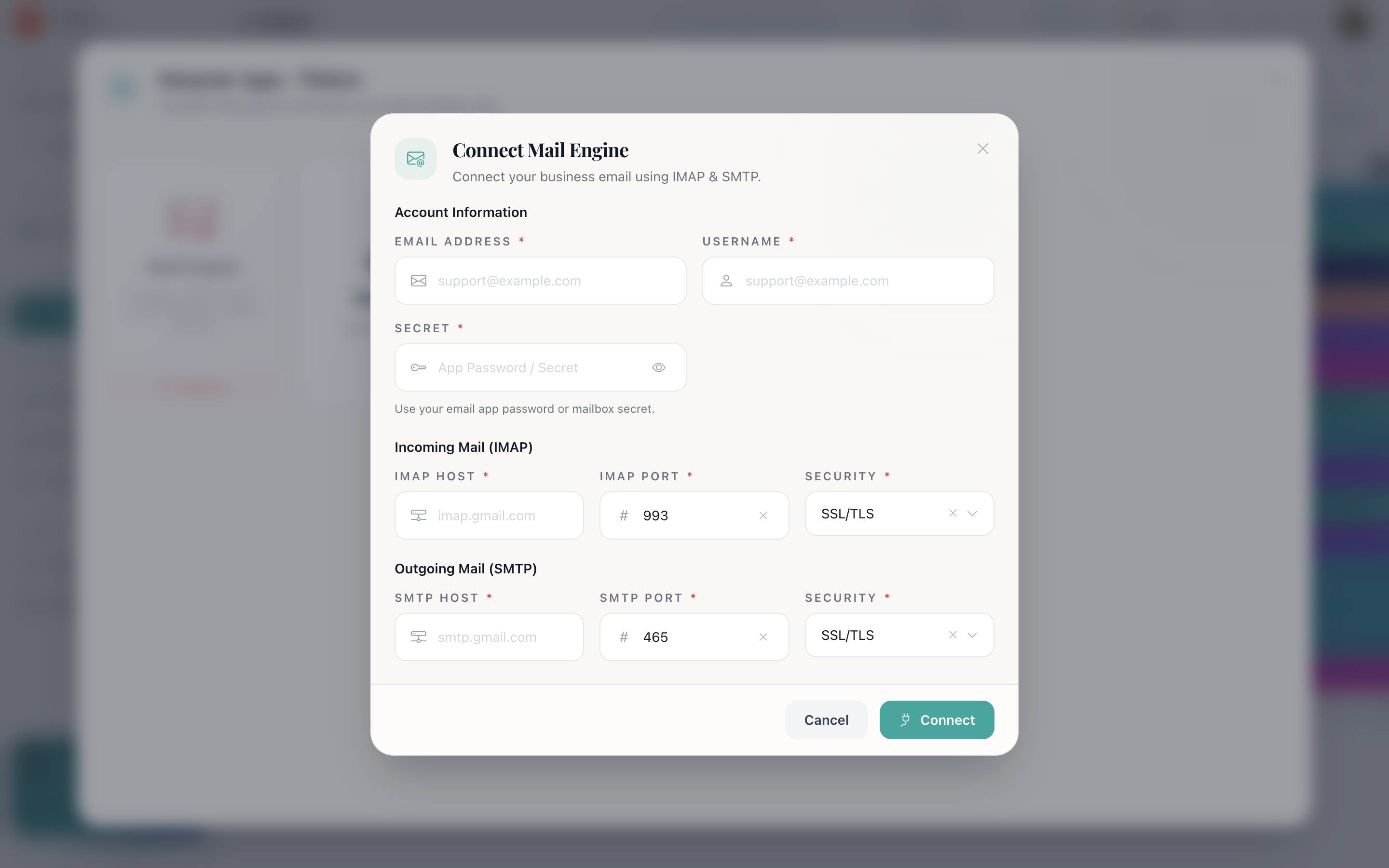
What connecting mail gives you
- Replies from the record. Read the thread and answer without leaving the record. The Send button holds until the mail is actually away.
- Incoming mail opens tickets. On a ticketing panel, a new message creates a ticket and the sender's address becomes the reply target.
- Email automations become available. Recipes that email the owner or email an address on the row need a mailbox and stay unavailable without one.
- The thread is on the timeline. Every message, with attachments, in order with everything else that happened.
Google Calendar
With Calendar connected, the record view can schedule a meeting: name, description, start and end, attendees, reminders, and either Google Meet or In person. The event lands in the real calendar and on the record's timeline.
Without a calendar connection, the meeting action asks you to connect one first.
How do I…
Connect a mailbox: Panel → Integrate → Email integration → Gmail (sign in with Google) or Mail Engine (fill in IMAP and SMTP).
Send from a different address per team: Connect a different mailbox to each panel. Integrations are per panel, so Support and Sales can use their own.
Turn incoming mail into tickets: Connect Gmail or Mail Engine to a Ticketing panel. New mail opens a ticket automatically.
Book a meeting from a record: Connect Google Calendar, then use the meeting action in the record view.
Remove a mailbox: Open it in the same dialog → Remove.