Maker checker
Maker checker requires a second person to approve a change before it takes effect. One person makes the request; another checks it. Nothing happens until they do.
What it covers
Maker checker guards the changes that alter who can do what: the ones worth a second pair of eyes:
| Feature | Actions that queue |
|---|---|
| Member | Invite, update, delete |
| Workspace role | Create, update, delete |
| User group | Create, update, delete |
Day-to-day data work (adding rows, editing cells, moving tickets) is not affected. This is about access control, not throughput.
Turning it on
- Settings → Preferences.
- Switch Maker Checker on.
- Give your reviewers the Can approve maker request permission on their role.
Turning it on also creates the User Activity report, which keeps the history of every request and its outcome.
The queue
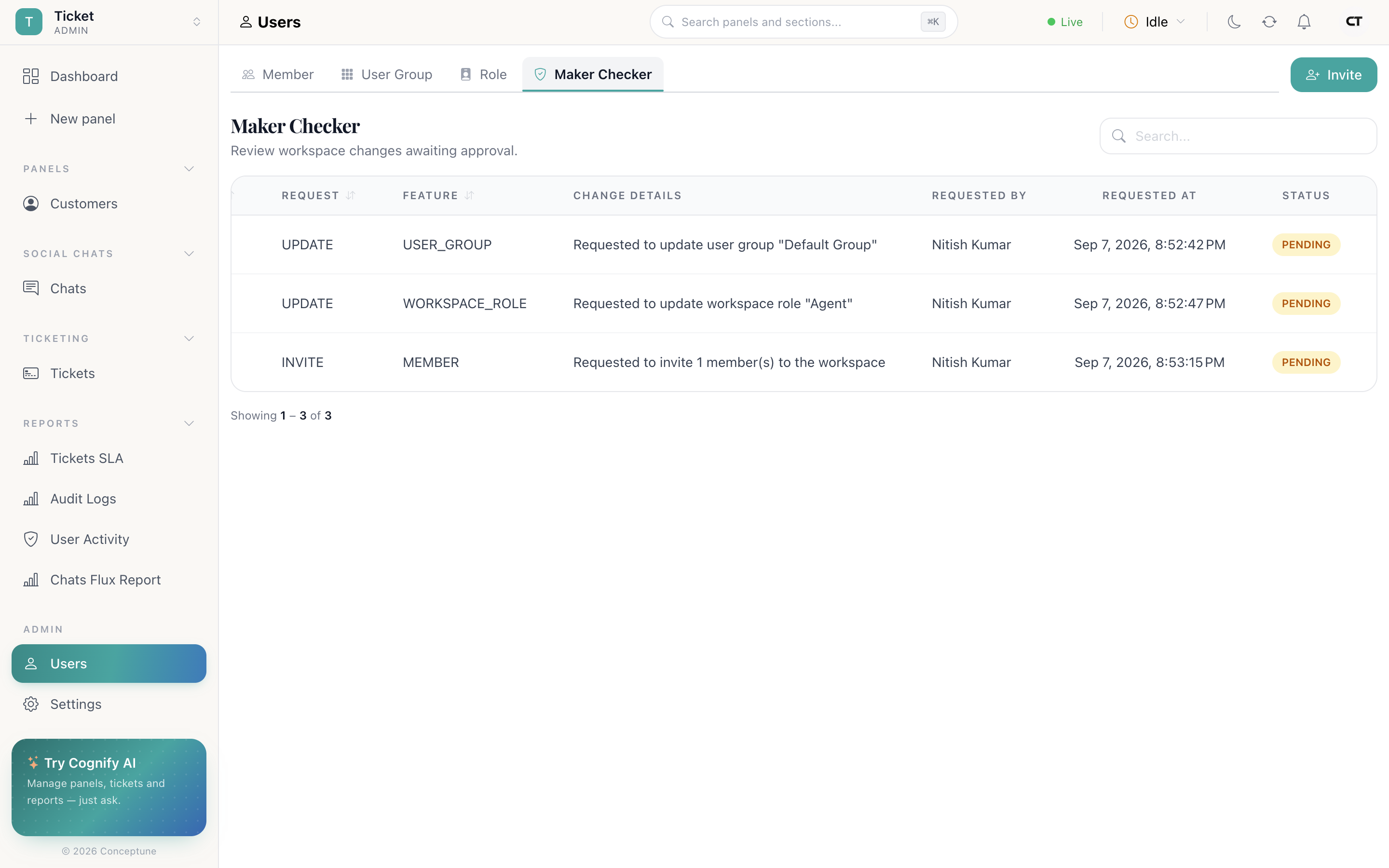
Users → Maker Checker is the approval queue. Each entry shows:
- The request and the feature it affects
- The change details: exactly what will happen if approved
- Who asked, and when
- The status, and who reviewed it
Reviewers Approve or Reject. Nothing takes effect until they do.
What the maker sees
Someone submitting a change gets a confirmation that it was requested, not applied. Until it is reviewed, the workspace behaves as though nothing changed, the invited member is not in, the new role does not exist.
Reading the history
The User Activity report under Reports records every request: the activity, the action, the feature, who asked, who reviewed and the outcome. This is the record to reach for in an audit. it shows not just what changed but who signed it off.
Pair it with Audit Log, which records everything else in the workspace. See Reports.
How do I…
Add a second pair of eyes: Settings → Maker Checker on. Give the reviewers Can approve maker request; everyone else's access changes now queue.
Approve a pending change: Users → Maker Checker → read the change details → Approve or Reject.
Find out why my invitation did nothing: Check Users → Maker Checker. If it is switched on, the invitation is waiting for a reviewer.
See who approved what: The User Activity report under Reports.