Webhooks and embeds
Two integrations that connect a panel to the world outside it: a webhook sends what happens in the panel to a URL you own, and an embed puts another application inside Cognify.
Webhooks
A webhook is outbound. You give Cognify a URL you control, and Cognify posts to it whenever something happens to the rows in that panel. It is how you keep another system in step with Cognify: your data warehouse, your billing platform, an internal service, or an automation tool listening for changes.
Registering one
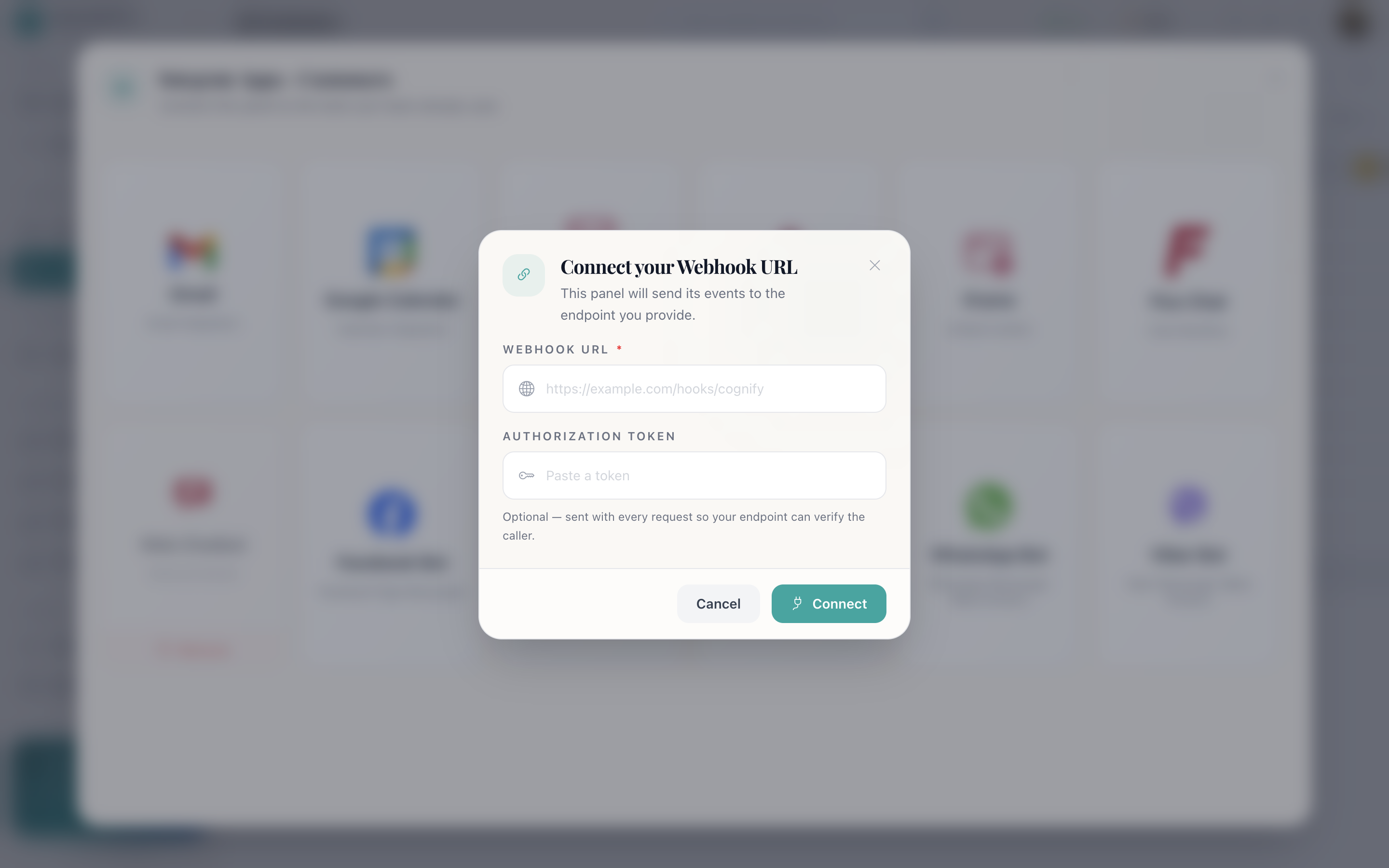
- Panel → Integrate → Webhook.
- Enter the webhook URL: the endpoint on your side that will receive the calls.
- Optionally enter an auth token. If you set one, Cognify sends it as a bearer token so your endpoint can verify the call really came from Cognify.
- Save.
The events
Cognify posts on four panel events:
event_name | Fires when |
|---|---|
PANEL_ROW_CREATED | A row is added to the panel |
PANEL_CELL_UPDATED | A single cell changes |
PANEL_CELLS_UPDATED | Several cells change at once |
PANEL_ROW_DELETED | A row is removed |
What Cognify sends
A POST with Content-Type: application/json. If you set an auth
token, it arrives as Authorization: Bearer <your token>.
The body is a JSON array containing one event object:
[
  {
    "event_name": "PANEL_ROW_CREATED",
    "data": {
      "panel_id": 128,
      "workspace_id": 42,
      "created_by": "<user id>",
      "created_at": "2026-09-07T10:31:44.512Z",
      "data": {... what changed... }
    }
  }
]
The outer data is the envelope: which panel, which workspace, who did it and
when. The inner data is the change itself, and its shape depends on the
event: a created row, an updated cell, or the row that was deleted.
[…] from the start means a future batched delivery will not break
your endpoint.
Delivery
- One webhook per panel. The registration is looked up by workspace and panel, so each panel sends to its own URL.
- Fire and forget. If your endpoint is down or returns an error, Cognify logs the failure and moves on. There is no retry and no queue.
- Your endpoint should be fast and idempotent. Acknowledge quickly and do the real work asynchronously on your side.
What to use it for
Keeping a system in sync
Mirror new leads into your data warehouse, or push resolved tickets into a reporting database.
Custom notifications
Post to a chat tool or paging service when a row is created in a panel you watch.
Triggering your own work
Kick off provisioning, invoicing or a build when a record reaches your system.
Bridging to automation tools
Point it at a listener in whatever automation platform you already run.
Securing your endpoint
- Set an auth token and reject any call that does not carry it.
- Serve the endpoint over HTTPS: the payload contains your records.
- Do not treat the payload as trusted input. Validate it the way you would any request from the internet.
Embedded content
An embed puts another application inside the Cognify console in an iframe, so your team does not alt-tab between tools all day. There are two kinds:
Dialler
A softphone alongside the record, so a call can be placed without leaving the customer you are looking at.
Window
Any other web app (an internal tool, a knowledge base, a reporting dashboard) framed inside the console.
Connect it from Integrate → iframe, give it the URL to frame, and pick which of the two types it is.
X-Frame-Options or a
frame-ancestors policy. If an embed shows a blank panel, that is almost
always why, and it has to be changed on the embedded site rather than in Cognify.
Getting data in and out
Which direction you need decides which feature to reach for:
| You want to… | Use | Direction |
|---|---|---|
| Tell another system what changed here | Webhook | Out |
| Take rows away as a file | Export | Out |
| Load a historical file once | Import | In |
| Collect records from the public | Public form | In |
| Open tickets from customer email | Email integration | In |
| Take conversations from a channel | Chat channel | In |
| Use another tool without leaving the console | Embed | Neither: it is a view |
How do I…
Send panel changes to my own system: Integrate → Webhook → enter your URL and an auth token → save. Cognify posts on row created, cell updated, cells updated and row deleted.
Verify a call really came from Cognify: Set an auth token when
registering, and check the Authorization: Bearer header on every request.
Change the URL Cognify posts to: Remove the webhook integration and register it again with the new URL.
Put a dialler next to the record: Integrate → iframe → choose Dialler and give it the URL.
Work out why my endpoint received nothing: Cognify does not retry failed deliveries. Check that your endpoint is reachable over HTTPS, returns quickly, and is not rejecting the bearer token.