Dashboard
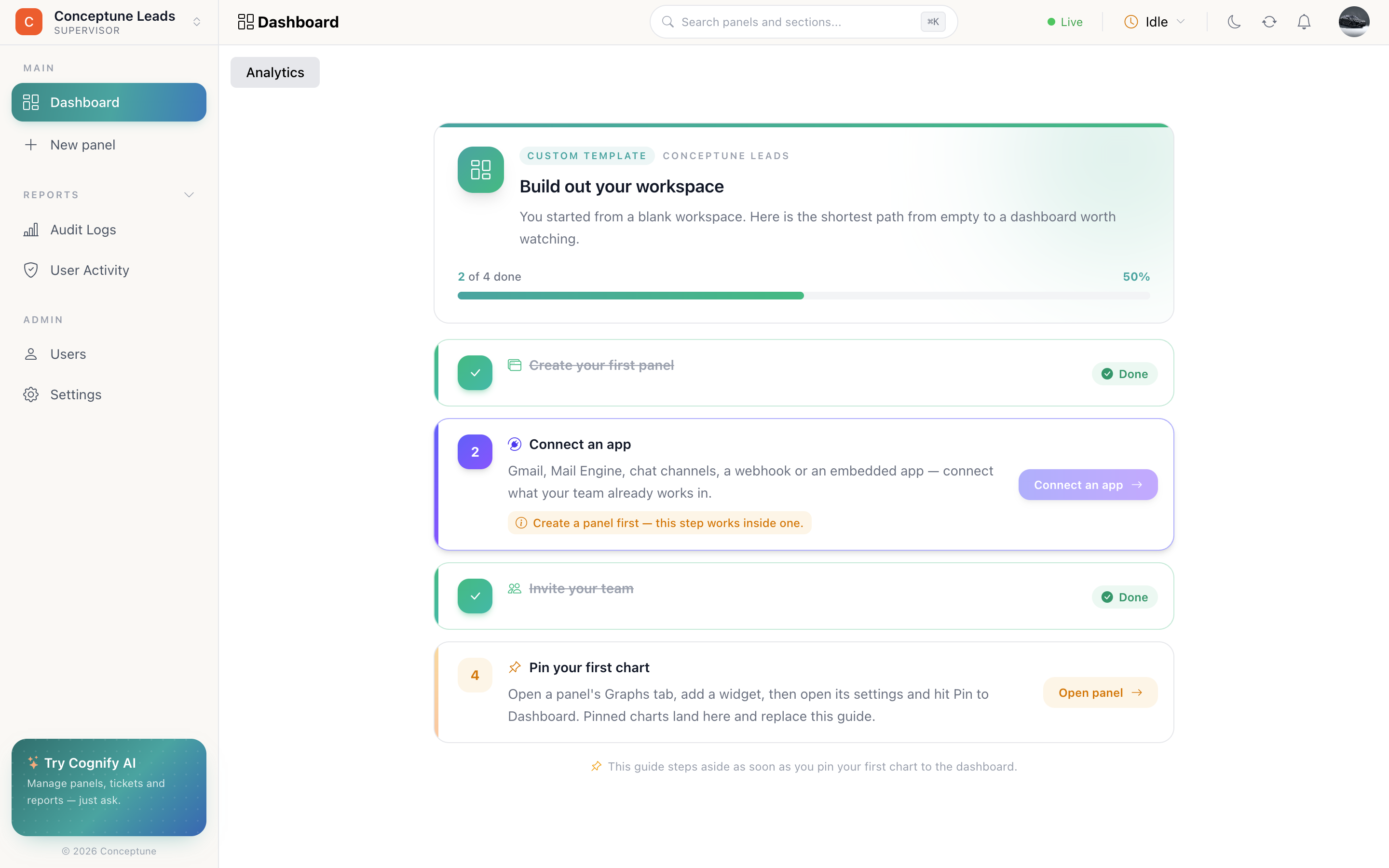
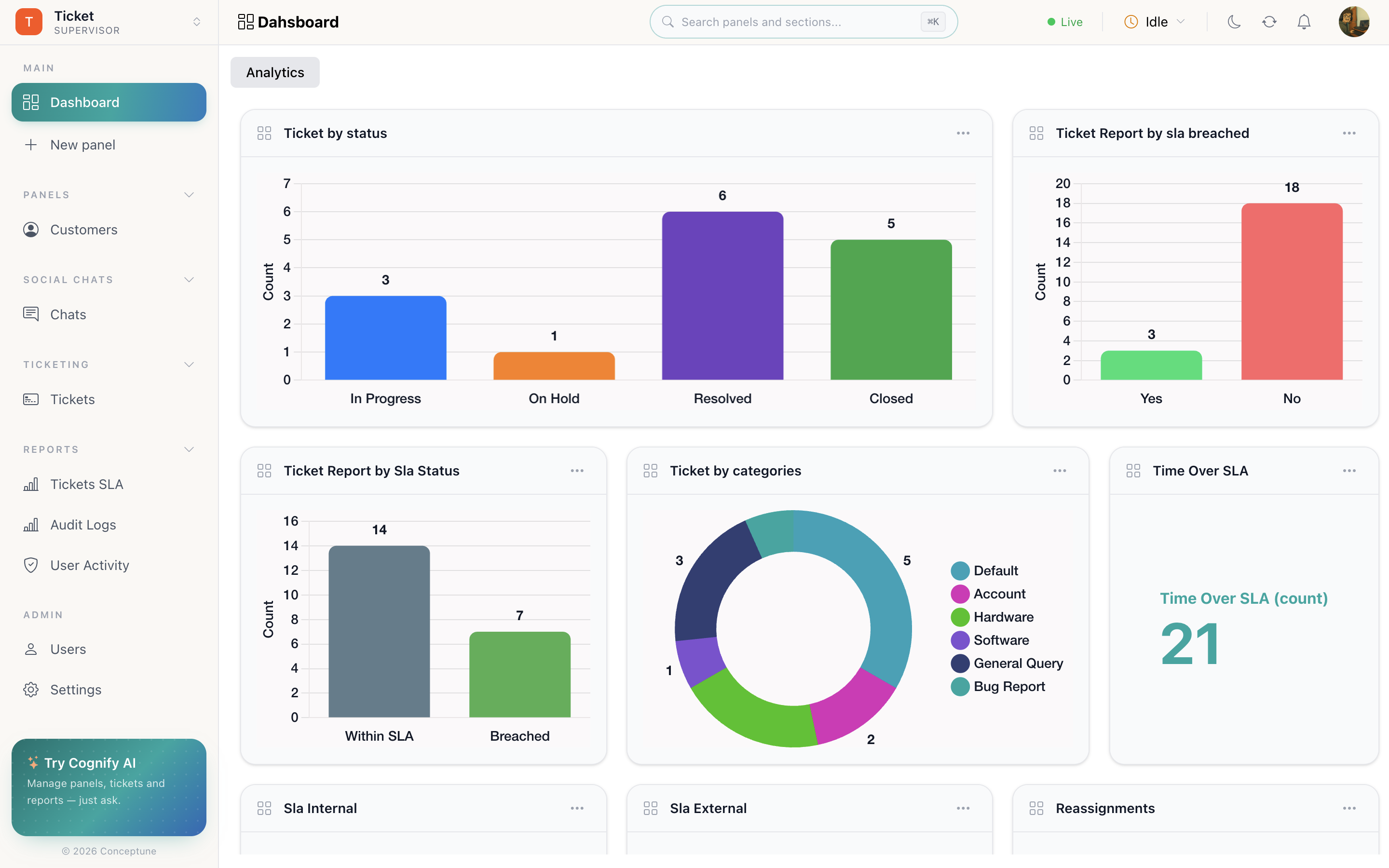
The dashboard is the workspace's analytics wall: charts you pinned from panels, arranged on a drag-and-resize grid. Until you pin one, it shows the setup guide instead.
The setup guide
While nothing is pinned, the dashboard shows a short checklist for your workspace template: create a panel, connect an app, invite the team, pin your first chart. It ticks itself off as you go and disappears the moment your first chart lands.
Steps your role cannot perform are hidden, so nobody is pointed at a button they do not have. Which guide you get depends on the template picked at workspace creation.
The chart wall
Once charts are pinned, the dashboard is a grid of cards. Drag a card by the handle in its header to move it; drag its corner to resize. The layout is saved for the workspace: everyone sees the same arrangement.
The card menu
| Action | What it does |
|---|---|
| Full screen | Opens one chart large, for a standing meeting or a wall display |
| Settings | The widget's configuration: chart type, column, and the Export and Pin controls |
| Delete | Removes the card from the dashboard. The widget stays on its panel's Graphs tab |
What to put on it
A dashboard that everyone ignores usually has too much on it. Four to six cards that answer the questions the team actually asks each morning beat twenty that nobody reads:
- One number that matters most: open tickets, pipeline value, tasks due today.
- One distribution: work by status, or by owner.
- One trend: volume over time, so you can see direction.
- One exception: breached SLAs, failed sends, unassigned rows.
How do I…
Pin a chart to the dashboard: Open a panel → Graphs tab → Add widgets → choose a column and chart type → open the widget's Settings → Pin to Dashboard.
Rearrange the dashboard: Drag a card by the grid handle in its header; drag its corner to resize. The layout is saved for the workspace.
Look at one chart closely: Card menu (⋯) → Full screen.
Get a chart's numbers out: Open the widget's settings → Export.
Get the setup guide back: It returns only while no charts are pinned. Unpin everything and it reappears.