Troubleshooting
The handful of things people actually hit, and what to do about each one.
The row count looks wrong, or a total is stale
Counts and footer aggregations are maintained incrementally to keep large panels fast, and a bulk import or a big move can leave them behind.
Fix: Section ⋯ → Calibrate. It recounts the section and rebuilds every aggregation. It changes no data and is safe to run any time.
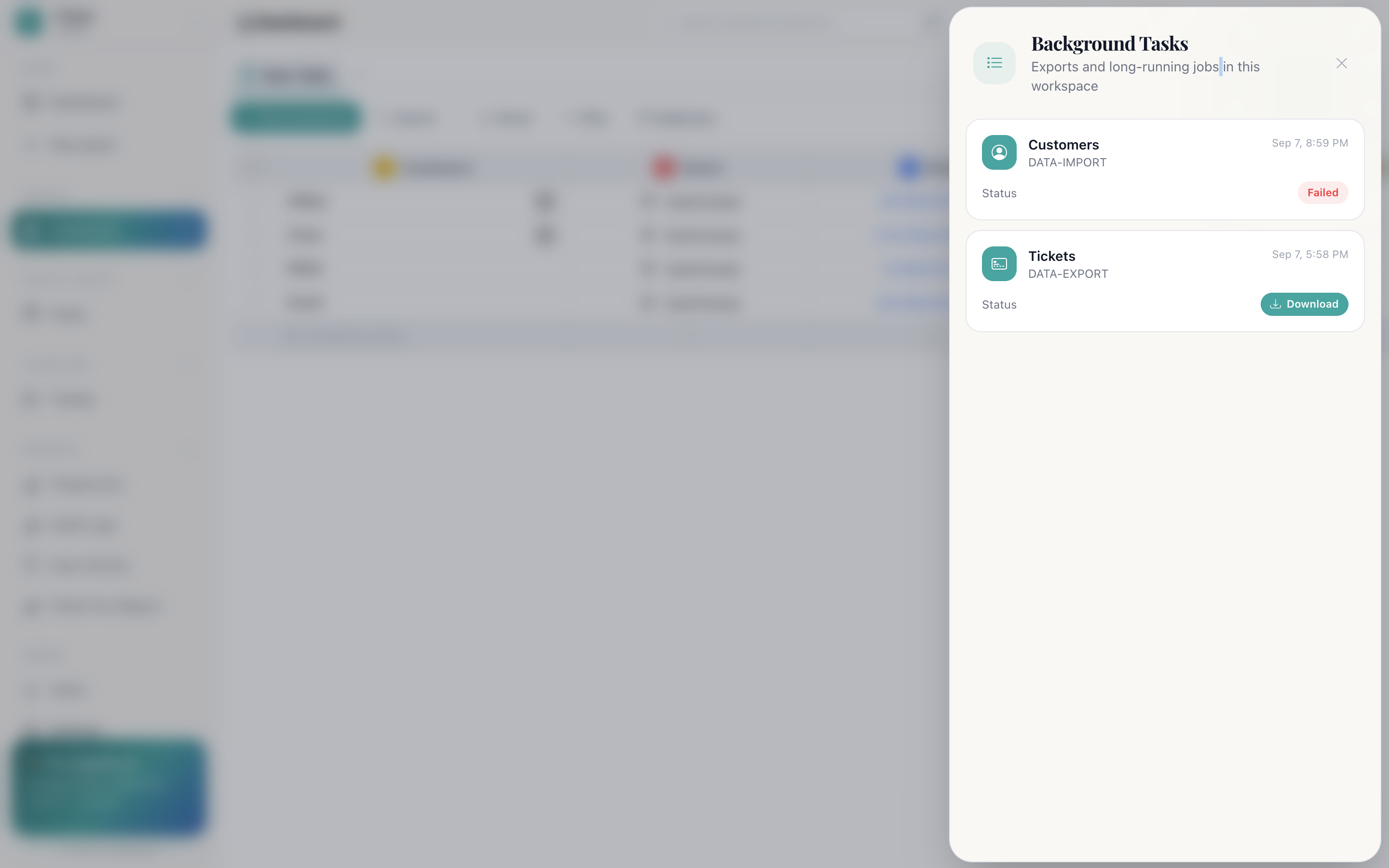
My export never arrived
Exports queue server-side rather than downloading from the page, so they arrive when the job finishes rather than immediately.
Fix: Navbar → Background tasks. The job will read Queued, Processed or Failed. An export that never appeared has almost always failed rather than vanished, and the failure is listed there.
The SLA clock is not showing on a ticket
It needs all three of these, and disappears in two other cases:
- The ticket has an owner.
- The ticket has a category.
- That category has an external SLA set.
It is also hidden once the ticket is Resolved or Closed, because the clock has stopped. See Ticketing and support.
A button is greyed out
Three causes, in the order worth checking:
| Cause | Check |
|---|---|
| Your role lacks the permission | Users → Role. See Roles and permissions |
| Duplicates mode is on | It disables Search, New, Owner and Filter until you switch it off |
| The panel type does not offer it | Report panels have no toolbar actions; Social Chats panels have no Import |
An automation did nothing
- Is it applied to this panel? Automations do not carry across panels.
- Does its recipe need an integration that is not connected?
- Does the column it watches still exist, with the value it looks for still enabled rather than disabled?
Live updates stopped
The navbar's connection dot shows the state of the live stream. If it reads offline, the page is showing a snapshot rather than the truth.
Fix: Reload the page.
A timeline entry says “User”
The activity came from outside the workspace. an inbound email, a public form submission, or from a member who has since been removed. Entries signed Cognify AI were made by the system itself.
My invitation did nothing
If Maker Checker is switched on, invitations queue for approval rather than taking effect. Check Users → Maker Checker.
Someone cannot see a panel
Two separate gates, and both must pass:
- Panel access: are they toggled in? Panel toolbar → Panel access.
- Their role: does it carry Must view only its own Panel Data? If so they see the panel but only rows they own, which can look like an empty panel.
Incoming mail arrived twice
Two mail integrations are connected to the same panel. Cognify supports one per panel; a second will double-handle everything.
Fix: Integrate → remove the one you do not want.
An import created duplicates
Import adds rows; it does not match on a key and update existing ones. Running the same file twice gives two copies.
Fix: Turn on Duplicates in the toolbar to see the groups, then keep one of each and delete the rest.
An embedded app shows a blank panel
Most sites refuse to be displayed in a frame, using X-Frame-Options or a
frame-ancestors policy. That has to be changed on the embedded site. Cognify
cannot override it.
Still stuck?
Contact support with the workspace name, the panel, and what you expected to happen. If audit logging is on, the Audit Logs report will usually show exactly what did happen instead.