What is Cognify
Cognify is one workspace that becomes whatever you point it at. The same building blocks (panels, columns, rows, tabs) make a CRM, a help desk, a chat inbox, a sales pipeline or a project tracker. Most teams run several at once, side by side, sharing the same people and the same automations.
Most business tools decide for you what a record is. A CRM insists on leads. A help desk insists on tickets. A project tool insists on tasks. The moment your work does not match the shape the tool expects, you end up with a spreadsheet on the side.
Cognify starts one level lower. You describe the shape of the thing you track, and the console gives you a table, a board, charts, an inbox and an automation engine over it. A lead, a ticket, an order, a candidate and a task are the same kind of object with different columns on them.
What people build with it
These are not separate products or separate prices. They are the same console, set up differently, and one workspace usually holds several of them.
CRM and sales
Leads, contacts and companies, with a deal pipeline you drag across stages and a forecast chart on the dashboard.
Ticketing and support
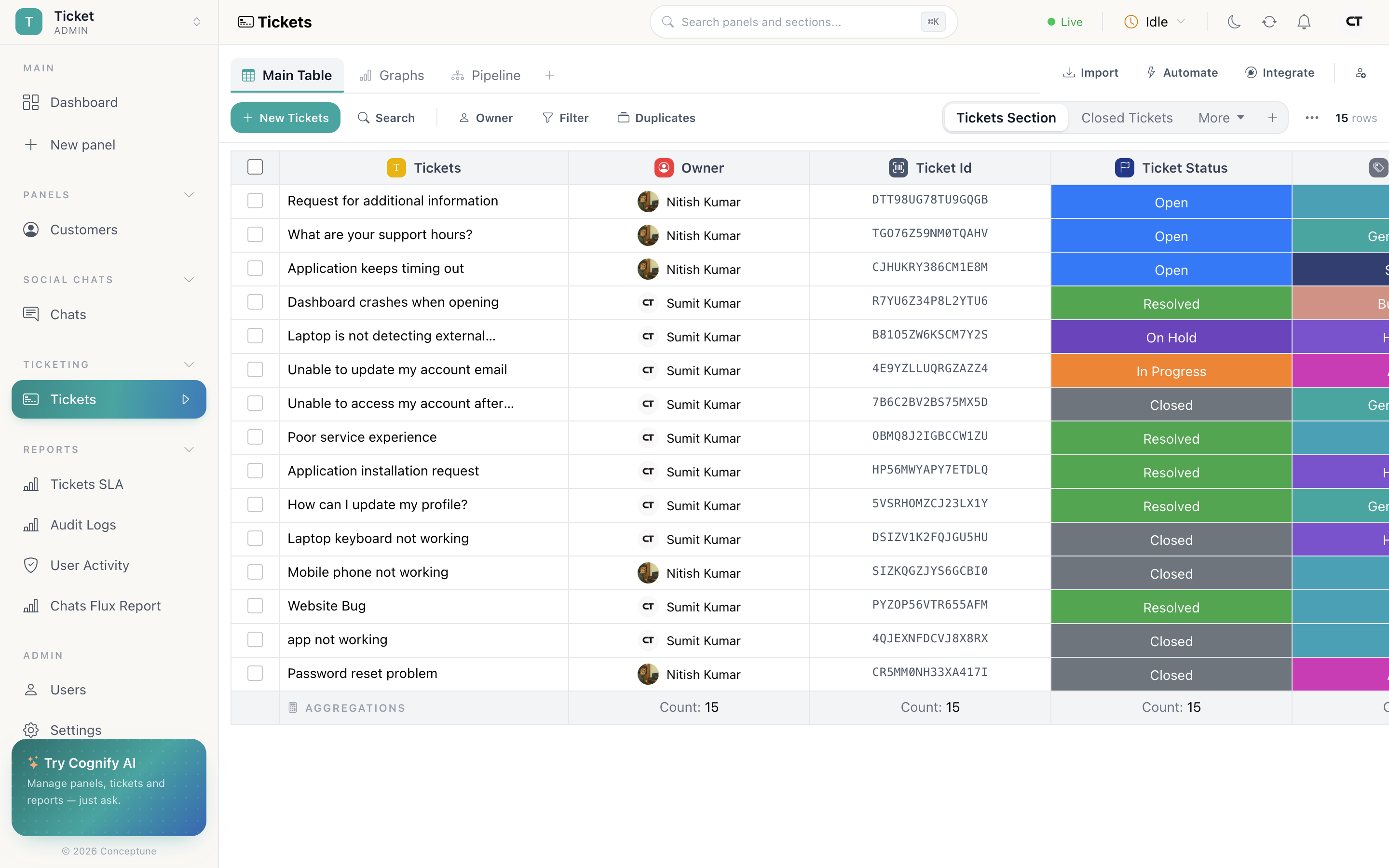
Ticket IDs, categories, keyword routing, SLA clocks and an SLA report that fills itself as tickets are resolved.
Chat inbox
Live conversations from web chat, Facebook, Instagram, Telegram, WhatsApp and Viber, with a bot answering until a human takes over.
Projects and tasks
Task lists with owners and due dates, linked to their parent project, on a board per stage.
Email campaigns
A recipient list plus a scheduled bulk send, with per-recipient delivery status.
Anything else you list
Orders, assets, candidates, properties, inventory, applications, a panel is just a kind of record you named.
Each of these has its own page later in the guide, under Ways to use Cognify, with the panels, columns and automations to set up.
What you get on top of the data
Because every panel shares the same foundation, every panel gets the same machinery without any extra setup:
- Five ways to look at it: a table, a filtered table, charts, a Kanban board, or a chat inbox. Adding a view never changes the data.
- An activity timeline on every record: every field change, email, note, meeting and chat, in order, with who did it. Nothing is silently overwritten.
- 168 automation recipes: one-sentence rules like when a row is created, auto assign as owner, picked from a marketplace rather than built.
- Integrations per panel: a mailbox, a calendar, a chat channel or a webhook, connected to the panel that needs it.
- Permissions down to the row: roles decide who can design a panel, who can delete data, and who may only ever see records they own.
- Reports Cognify writes itself: audit logs, approval history and SLA performance, kept up to date without anyone maintaining them.
Where to go next
Read Core concepts next. It is short, and every other page assumes it. Then Create a workspace walks through the four onboarding steps and the templates that pre-build some of this for you.